Loading…
Personalised learning
Every child gets the practice they need next.
CurioPilot builds a picture of what each student knows from every answer they give. It uses that picture to choose their next practice, their hints and their reviews — and it always shows why.
- Hints, never answers
- Reasons in plain words
- Teachers stay in charge
app.curiopilot.com
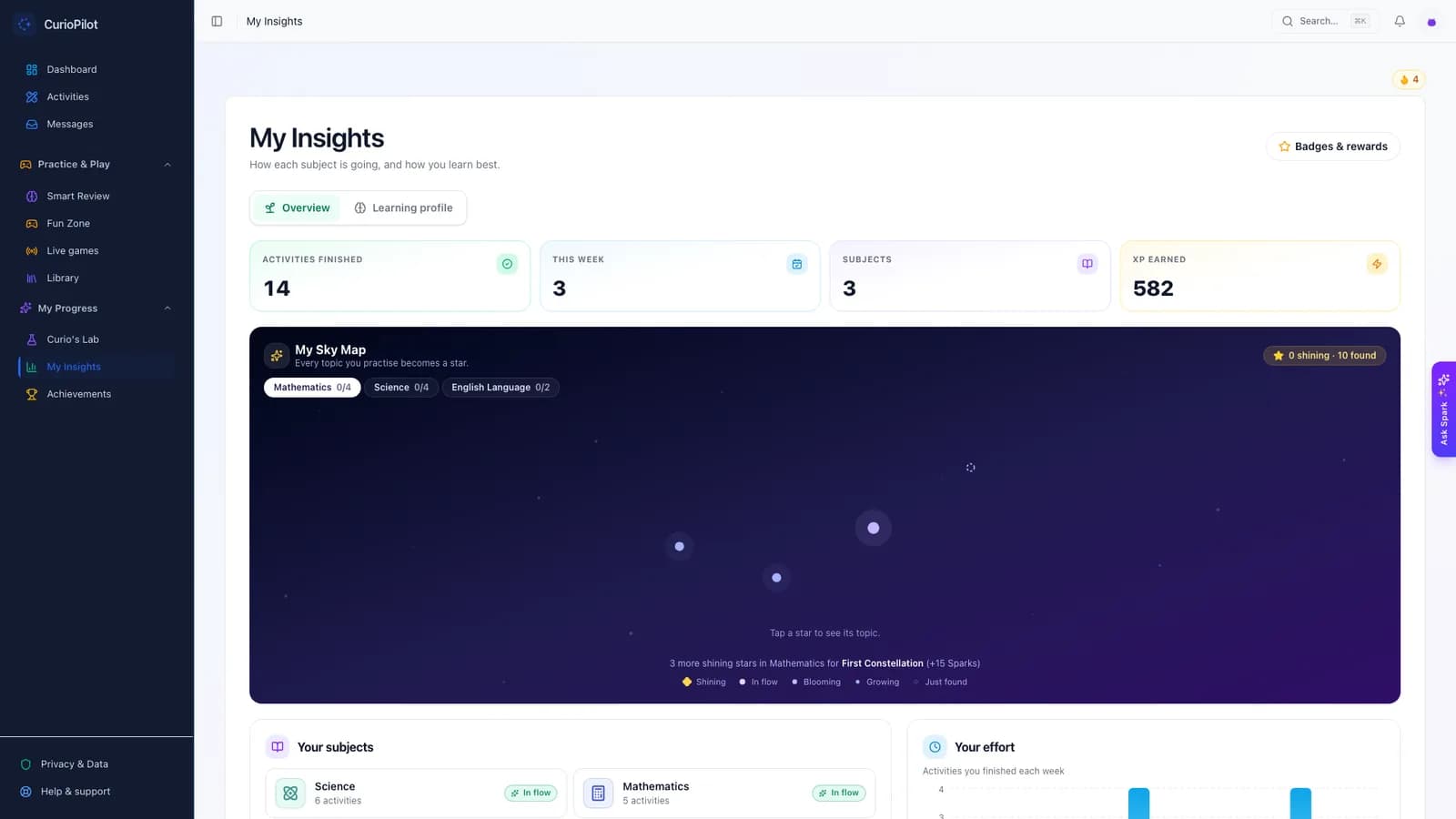
How it works
Learning from every answer.
1. The student answers
Every answer — in homework, practice or a game — adds to the picture of what they know.
2. CurioPilot spots patterns
Not just right or wrong: which kind of mistake, on which topic, and how sure we can be.
3. The next step is chosen
Practise, review, fill a gap from an earlier topic, or move ahead — with the reason shown.
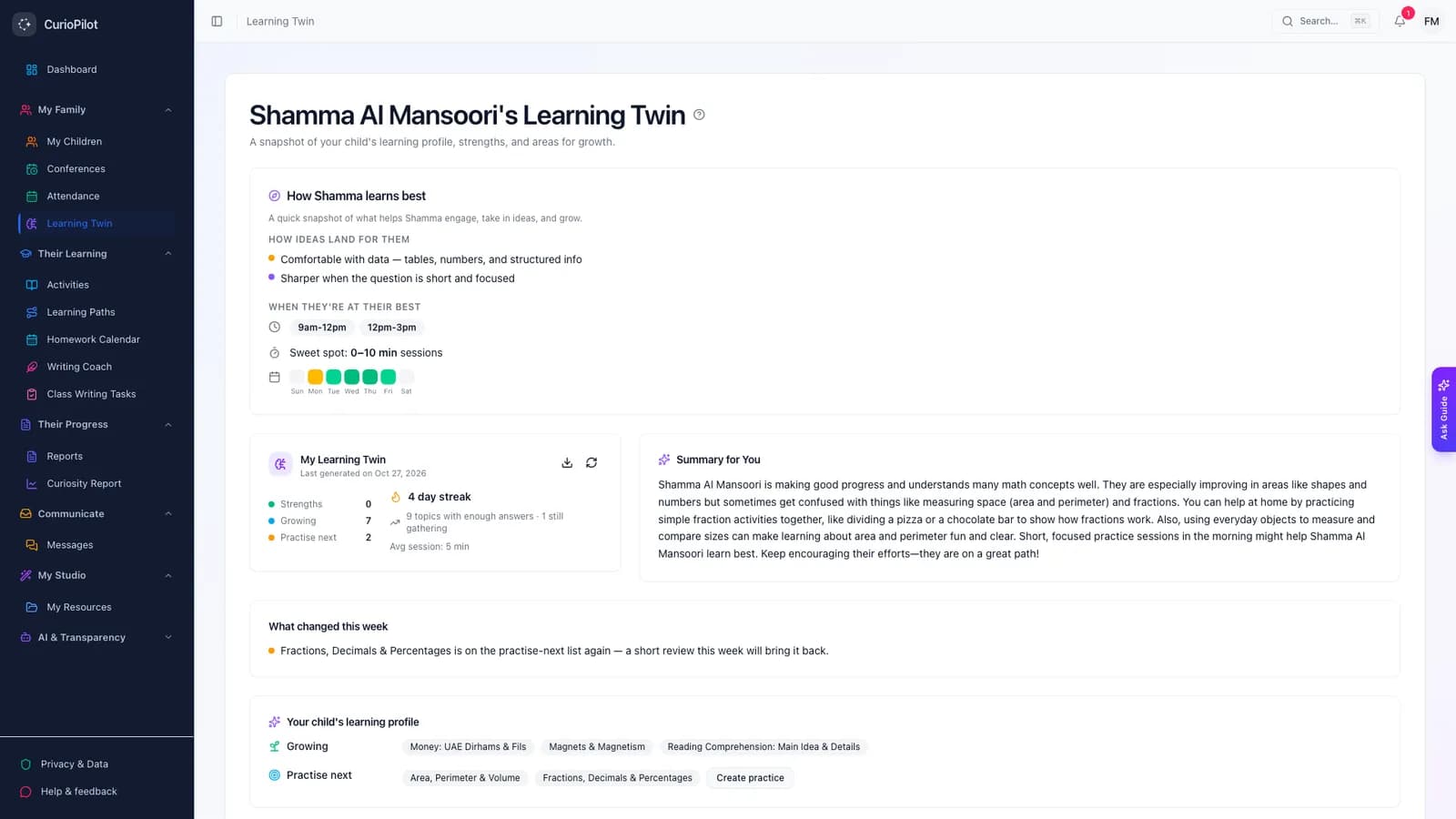
For parents
A picture of your child, in words.
Parents see what their child is strong in, what is growing and what to practise next. No percentages, no rankings — and each item comes with a suggestion you can act on.
app.curiopilot.com
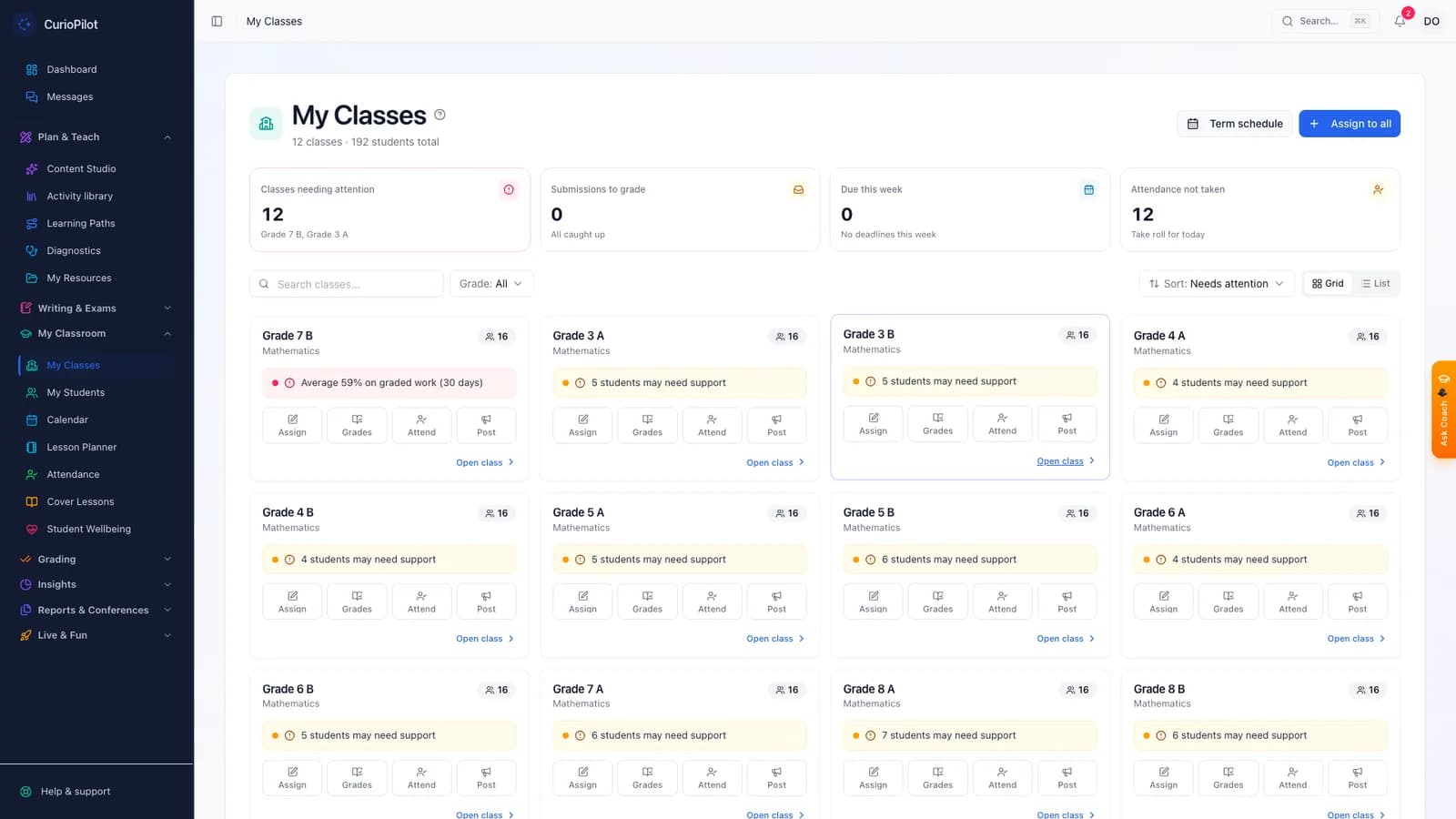
For teachers
The detail teachers need to act.
Teachers see each student’s level per topic, how much evidence it rests on, and the specific mix-ups behind wrong answers — so the next lesson can target them.
app.curiopilot.com
For students
Help that builds independence.
Spark gives hints, not answers
When a student is stuck, Spark asks a guiding question or shows the first step. Pressing harder doesn’t get them the answer.
The right level of challenge
Questions are pitched so a student succeeds most of the time but still has to think.
Reviews before they forget
Topics come back for a short check at the right time, so learning lasts beyond the test.
Learning paths
Teachers and parents can set a path of topics. It adjusts as the student moves faster or needs more time.
Our promises
What our AI does — and doesn’t do.
What it does
- Suggests practice, hints and reviews for each student
- Drafts questions and feedback for teachers to approve
- Explains every recommendation in plain words
- Waits for enough evidence before judging a topic
What it never does
- Send a child’s name or personal details to the AI
- Use children’s work to train AI models
- Override a teacher’s mark
- Rank children against each other
FAQ
Common questions
How does CurioPilot decide what a student practises next?
It looks at the student’s recent answers, the mistakes they made and what their class is studying. The rules for choosing the next step are fixed and explainable, so a teacher or parent can always see why.
Does a single bad quiz label my child?
No. CurioPilot waits for enough answers before it says anything about a topic. Until then it says “not enough yet”, which is about our information, not about your child.
Will Spark do my child’s homework?
No. Spark is built to give hints and ask questions. It will not write an essay or give the final answer to a question that is being marked.
Is my child’s information sent to the AI?
Before anything is sent, names become placeholders such as “Student A”, and emails, phone numbers and ID numbers are removed. The AI service is Microsoft Azure OpenAI, which does not use children’s work to train its models.
Do teachers still decide?
Yes. Teachers approve activities before students see them, can change any mark, and choose which suggestions to follow.
See how CurioPilot picks the next step.
We will show you a student’s week in our demo school — every answer, every suggestion and the reason behind it.