Loading…
For teachers
AI drafts. You decide.
CurioPilot takes on the drafting and the marking so you can spend your time teaching. Every activity, mark and suggestion is yours to approve or change.
- Approve before students see it
- Change any mark
- See the evidence behind every finding
app.curiopilot.com

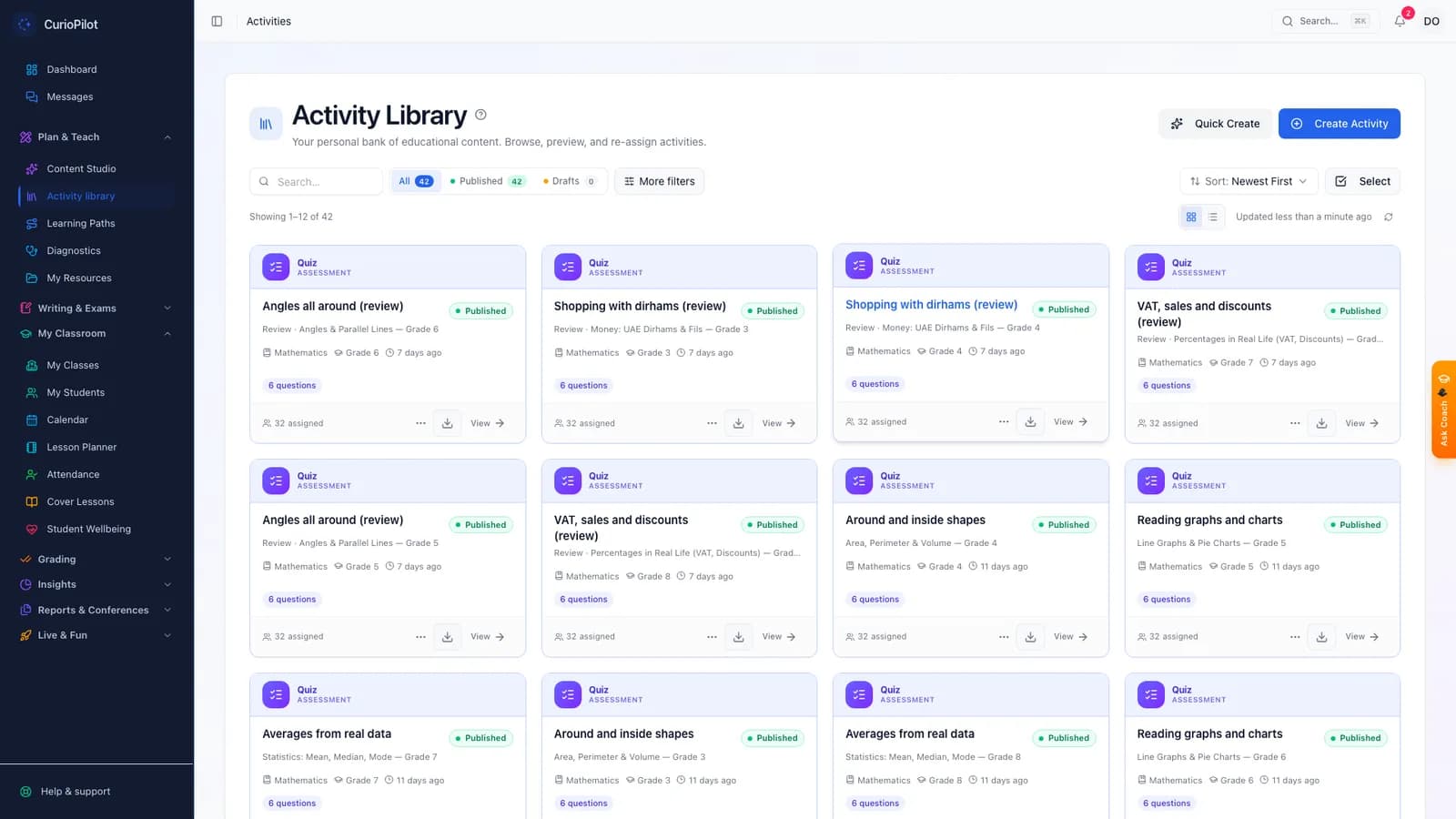
Create
An activity for any topic, in minutes.
Choose your class, topic and the kind of practice you want. CurioPilot suggests the question types that suit it, drafts the questions, and checks every answer key. You review, edit and assign.
- 19 question types
- Matched to your curriculum and grade
- Shared question bank with your colleagues
app.curiopilot.com
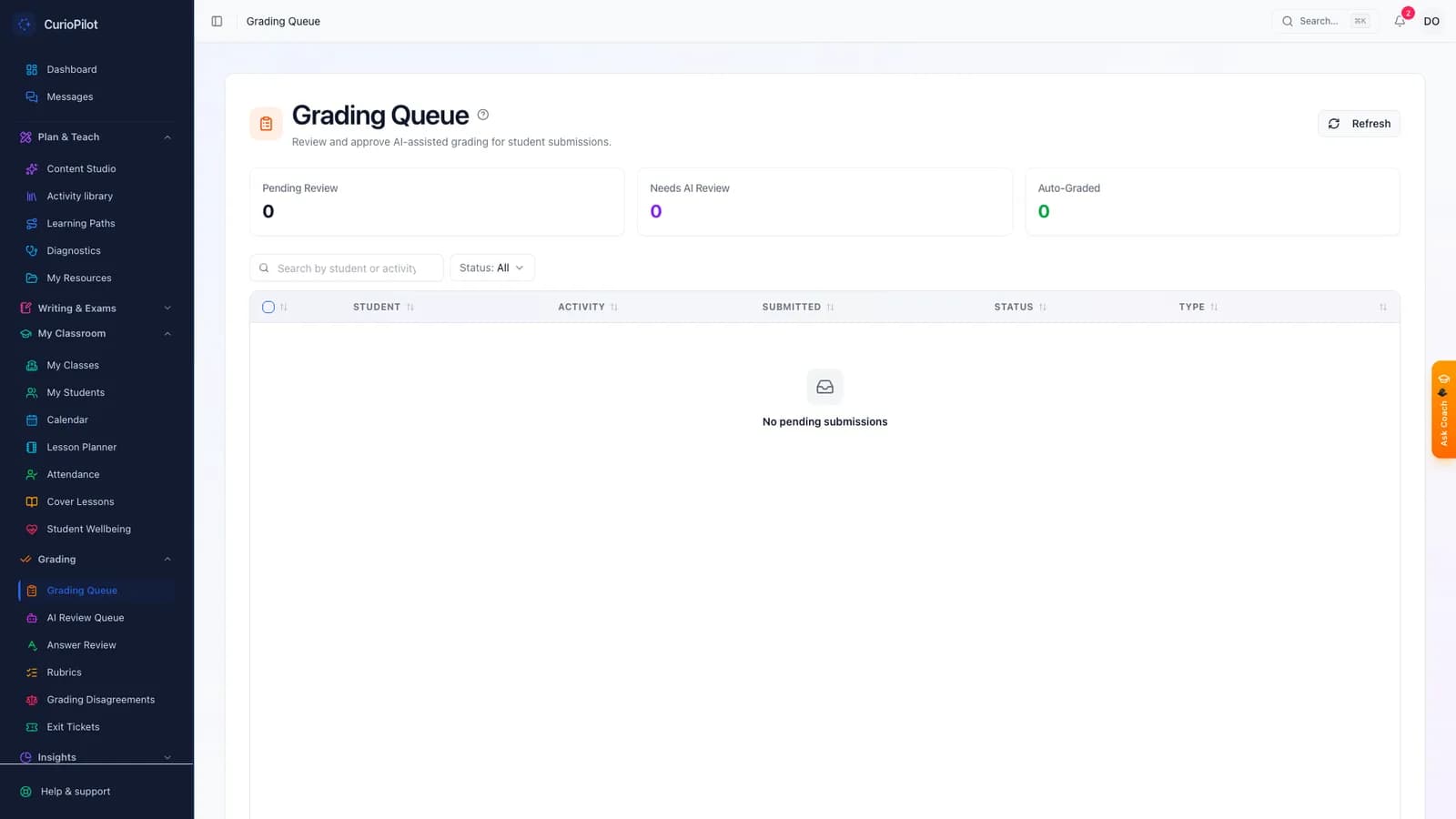
Mark
Most marking is done before you sit down.
Answers with a clear answer are marked instantly. Written answers and photos of handwritten work get a suggested mark and feedback. You confirm, change, or add your own comment.
- Part marks on multi-step working
- One click to change any mark
- Feedback students can learn from
app.curiopilot.com
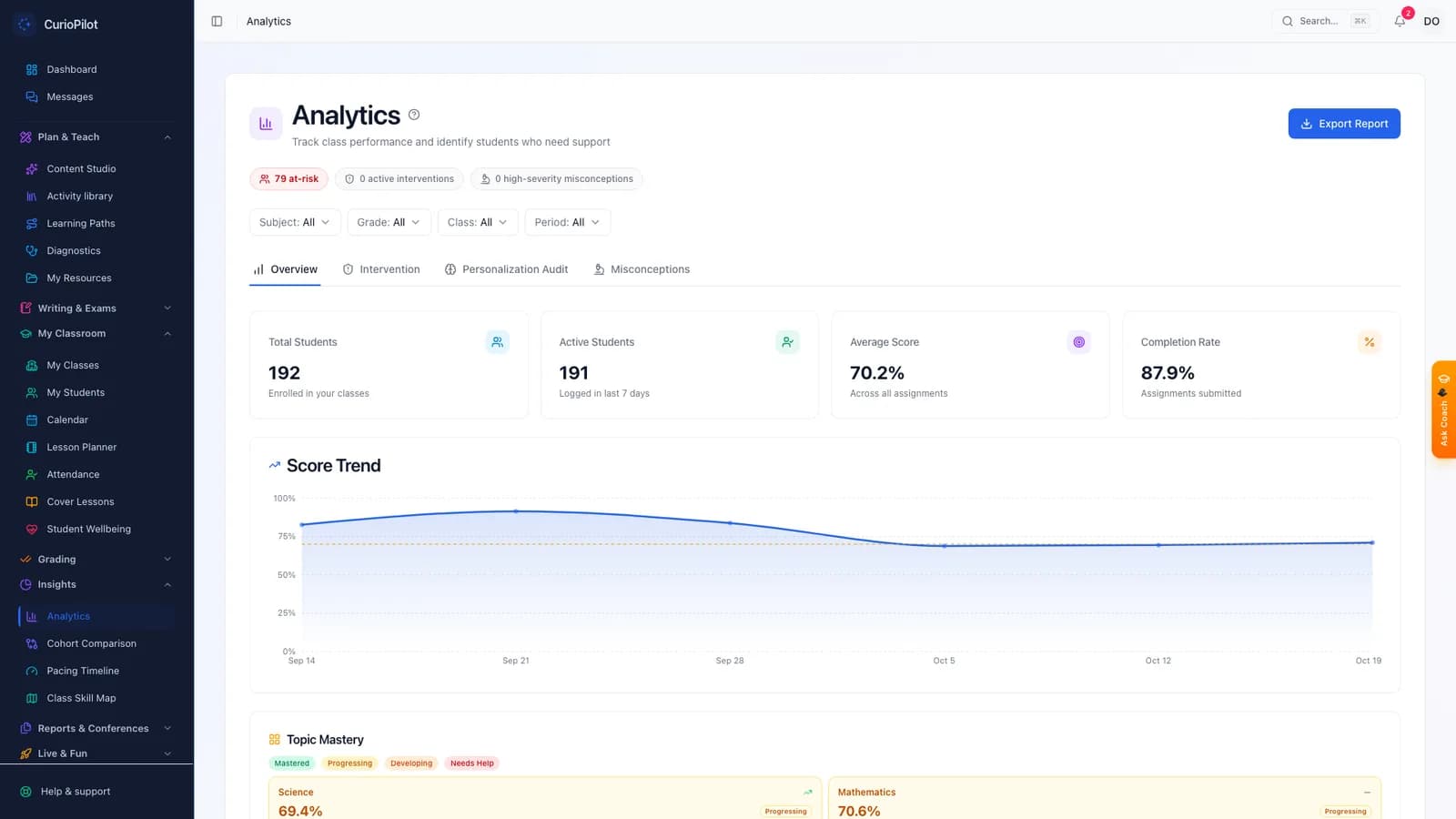
Understand
Know who needs what, tomorrow morning.
See class-wide patterns, the common mix-ups behind wrong answers, and the students to check in with — each finding linked to the answers it came from.
app.curiopilot.com
More tools
Everything else a busy teacher needs.
Activities from your curriculum
Pick a topic and grade. Get questions in 19 formats — multiple choice, matching, short answers, diagrams, number lines and more.
Photo marking
Snap a worksheet. CurioPilot reads the working and suggests marks for each step, including part marks.
Live class challenges
Run a quick quiz with the whole class in real time — great for starters and plenaries.
Plan a unit
A suggested sequence of lessons based on what the class already knows, placed into your planner as drafts.
Report comments
First drafts written from each student’s work, in your tone, ready for you to edit.
Class tablets
Set up a class tablet in a minute. Students tap their name, enter a PIN, and sign out when done.
Designed around the school week
From setting work on Monday to parent messages on Friday, it is all in one place.
Nothing goes out unchecked
Students never see an AI-written activity that a teacher has not approved.
A clear record
You can always see who drafted, edited and approved each activity and mark.
FAQ
Common questions
Who decides the final mark — the AI or the teacher?
The teacher. Instant marking covers questions with a clear answer. For written answers and photos, CurioPilot suggests a mark and the teacher confirms or changes it.
Do I have to use AI to create activities?
No. You can write your own questions, use the shared question bank, or ask CurioPilot to draft them. Every activity is checked by you before students see it.
How does photo marking cope with messy handwriting?
It reads the working step by step and shows you what it read. If it isn’t sure, it tells you, and you mark that step yourself.
Can I use it with my learning platform?
Yes. CurioPilot activities can be opened from learning platforms such as Canvas, Moodle and Blackboard, and marks can be sent back. Talk to us about your setup.
How long does it take to get started?
Most teachers set their first activity in their first session. We run a live training session for every pilot school.
Try a week of teaching in our demo school.
We will set an activity, mark it and look at the class together — in 30 minutes.